As a small business owner, protecting your sensitive data and online transactions from phishing and malware is crucial. Phishing schemes often impersonate trusted entities to steal your information, while malware can infect your devices and compromise your security. Fortunately, there are effective strategies you can implement to safeguard your business against these threats.
What are the most common phishing tactics?
Phishing attacks come in various forms, primarily aimed at tricking you into revealing sensitive information. A prevalent method is email scams, where attackers masquerade as trusted entities. For example, you might receive an email that appears to be from your bank, urging you to click a link and log in to verify your account. If you do, you may inadvertently provide your credentials to the attacker.
Another tactic involves deceptive websites that mimic legitimate sites. For instance, if you receive a message claiming you need to reset your password, clicking the link may lead you to a fake website set up to capture your login details. These tactics often create a sense of urgency, suggesting that immediate action is necessary to avoid negative consequences, increasing the likelihood of falling for the scam.
How can antivirus software protect you?
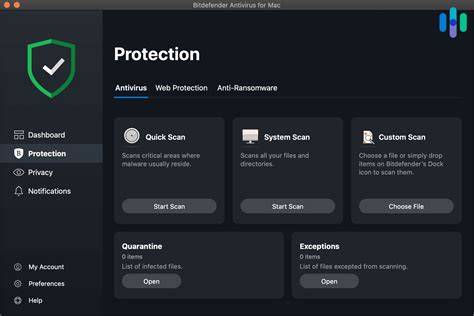
Antivirus software is essential for protecting your devices against malware. These programs scan files and applications for known threats and can detect suspicious behavior that might indicate a malware infection. When selecting antivirus software, consider features like real-time scanning, automatic updates, and a robust firewall.
- Choose a reputable antivirus program. Check reviews and ensure reliability.
- Install the software on all devices. This includes computers, tablets, and smartphones.
- Schedule regular scans. Ensure the software scans your devices routinely to catch any threats early.
- Keep the software updated. Regular updates help protect against the latest threats.
Why is two-factor authentication essential?
Two-factor authentication (2FA) adds an extra layer of security beyond just a password. By requiring a second form of verification—such as a text message code or an authentication app—you make it significantly harder for attackers to access your accounts, even if they have your password.
- Enable 2FA on all accounts that offer it. This includes email, banking, and cloud storage services.
- Use an authentication app if possible. Apps like Google Authenticator or Authy are generally more secure than SMS codes.
- Keep your recovery options updated. Ensure you can regain access if you lose your phone or change numbers.
What should you do if you suspect a phishing attempt?
If you suspect a phishing attempt, act quickly to protect your information. Here’s a clear action plan:
- Do not click any links or download attachments. This prevents accidental exposure to malware.
- Report the email or message. Most email providers have a straightforward way to report phishing attempts.
- Secure your accounts. Change your passwords, especially if you clicked on a suspicious link. Consider enabling 2FA if you haven't already.
What are the best practices for ongoing online safety?
Maintaining online safety requires consistent habits. Here are some best practices:
- Regularly update your operating systems and software to patch vulnerabilities.
- Use strong, unique passwords for each account, and consider a password manager to keep track.
- Stay informed about new phishing techniques and scams.
- Educate your employees about online security and encourage them to be vigilant.
Conclusion
By understanding phishing tactics, utilizing antivirus software, and implementing two-factor authentication, you can significantly enhance your online security. Stay proactive with regular updates and best practices to keep your business safe from online threats.