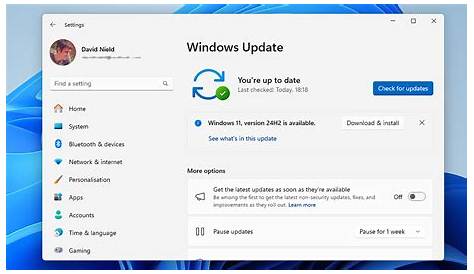
If you're overwhelmed by a cluttered Windows update history, clearing it can help simplify your experience. This process is straightforward and can enhance system performance by reducing clutter. Additionally, a fresh update history can facilitate troubleshooting by allowing you to focus on current updates without distraction.
Why would you want to clear your Windows update history?
Clearing your Windows update history can improve system performance. A long list of updates may lead to slower response times when accessing update settings. Moreover, if you're troubleshooting update-related issues, starting with a clean slate helps you focus on current updates rather than older ones. In some instances, users have found that clearing the history resolves problems with Windows Update functionality.
What do you need before you start?
Before you proceed to clear the update history, ensure you have the following:
- Windows 10 or Windows 11 installed
- Administrator privileges on your PC
- A backup of important data (optional but recommended in case of unexpected issues)
Conclusion
After clearing the update history, you should notice a less cluttered view when checking for updates next time. If you encounter any issues, consider running the Windows Update Troubleshooter or manually checking for new updates to ensure everything is functioning as expected.
Frequently Asked Questions
Will clearing Windows update history delete installed updates?
No, clearing the update history will not uninstall any updates; it only removes the record of them.
Can I clear update history without affecting my system?
Yes, it is generally safe to clear the update history. However, it's always a good practice to back up important data.
How often should I clear my update history?
There's no set frequency, but if your update history is cluttered, consider clearing it to improve system performance.
What if I still have issues after clearing the history?
If problems persist, you may need to troubleshoot further or check for any pending updates.