
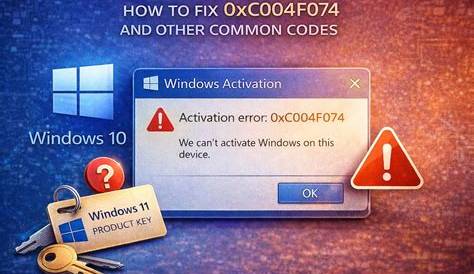
If you're encountering activation error codes while trying to activate your new software or device, it can be frustrating. Common activation error codes often stem from issues like incorrect credentials, expired licenses, or network problems. This guide will help you identify these error codes and provide step-by-step fixes to resolve them quickly.
What are the common activation error codes?
Some frequently encountered activation error codes include:
Error 0xC004C003
Error 0xC0000022
Error 0x80070005
Error 0x8007232B
Error
- Error 0xC004C003: This indicates that the activation server has determined the specified product key is invalid.
- Error 0xC0000022: This error occurs when you lack sufficient permissions to activate the software.
- Error 0x80070005: This signifies that access to a necessary file or resource is denied, typically due to permission issues.
- Error 0x8007232B: This indicates that the DNS name does not exist, meaning the system cannot find the server needed for activation.
Why are these error codes occurring?
Activation error codes can arise for several reasons:
- Invalid Product Key: You might be using a product key that has already been used or is incorrect.
- Permissions Issues: Lack of necessary permissions may prevent you from accessing the activation server.
- Network Problems: An unstable or misconfigured network connection can disrupt the activation process.
- Expired License: If your software follows a subscription model, your license may have expired, requiring renewal.
How to fix each activation error code?
Fix for Error 0xC004C003
- Verify that your product key is correct.
Fix for Error 0xC0000022
- Run the activation as an Administrator: ``
cmd title="Command Prompt" Right-click on the application and select "Run as Administrator"``
Fix for Error 0x80070005
- Check your user permissions: - Ensure your account has administrative privileges. - Adjust folder permissions where the software is installed if necessary.
Fix for Error 0x8007232B
- Check your network connection: - Ensure you are connected to the internet. - Disable any VPNs or proxies that may interfere with the connection.
How to verify if the issue is resolved?
After attempting to fix the activation error, verify if the issue is resolved by trying to activate the software again. If successful, you should see a message confirming that activation was successful. If the error message reappears, the issue may persist, and further troubleshooting may be needed.
What to do if the error persists?
If the error continues after troubleshooting:
- Contact Support: Reach out to the customer support team for the software or device; they may have more specific solutions.
- Check Online Forums: Other users may have encountered the same issue and shared their solutions in community forums.
- Reinstallation: As a last resort, consider reinstalling the software, but ensure you back up any important data first.
Conclusion
Dealing with activation error codes can be frustrating, but following the right steps can help you resolve them. If issues persist, don't hesitate to reach out for professional support or explore community resources for additional assistance.
Frequently Asked Questions
What does Error 0xC004C003 mean?
This error indicates that the activation server determined the specified product key is invalid.
How can I fix Error 0x80070005?
Check your user permissions and ensure your account has administrative privileges.
What should I do if my activation error persists?
Contact customer support, check online forums for similar issues, or consider reinstalling the software.
Can I use the software without activating it?
Most software will have limited functionality if not activated.