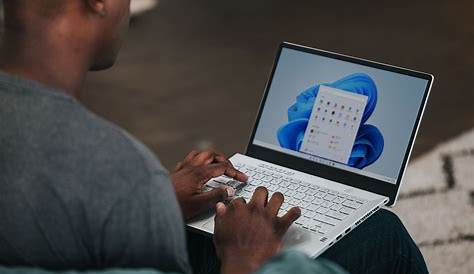
Windows 11 22H2, also known as the Windows 11 2022 Update, is a major update that introduces numerous features and enhancements to the operating system. This update significantly improves user experience through performance optimizations and interface changes, making navigation smoother and more efficient.
What is Windows 11 22H2?
Windows 11 22H2 is the first major feature update for Windows 11 since its initial release. It focuses on refining user experience with various performance upgrades that cater to both casual users and professionals. This release reflects Microsoft's commitment to enhancing its operating system based on user feedback and advancements in technology.
What new features does 22H2 bring?
Windows 11 22H2 introduces several notable features and enhancements. For example, the Start Menu now allows you to create folders for better organization of apps, making it easier to access frequently used applications. Another enhancement is the addition of Snap Layouts, which lets you organize open windows more efficiently on your desktop. Additionally, you can now utilize tabs in File Explorer, allowing you to manage multiple folders within a single window, streamlining your workflow. Performance improvements include better battery life for laptops and quicker updates, which reduce downtime.
Key improvements and changes from previous versions
Compared to earlier versions of Windows 11, such as the original release, 22H2 brings several improvements. The user interface is more intuitive, featuring updates that enhance usability, including improved touch controls and voice typing. Previous versions lacked some of the organizational tools introduced in 22H2, like the folder feature in the Start Menu and tabs in File Explorer. However, users with older hardware might experience slower performance with the update, as it is optimized for newer systems.
How does the update affect system performance and compatibility?
This update can lead to enhanced performance on compatible devices, particularly with multitasking and productivity tasks. However, those using older hardware may find the update to be resource-intensive, potentially affecting system speed. Overall, if your device meets the requirements—specifically a 64-bit processor, 4 GB of RAM, and 64 GB of storage—you should experience improved performance.
Who should consider upgrading?
Users who frequently utilize their PCs for multitasking, productivity, or creative work will benefit greatly from the enhancements in Windows 11 22H2. If you have a compatible device that meets the system requirements, upgrading is recommended. However, if your device is older or runs resource-intensive applications, you might want to evaluate its performance with the new update before committing.
FAQs about Windows 11 22H2
Common questions about Windows 11 22H2 include:
- How do I install the update? You can install Windows 11 22H2 by going to Settings > Windows Update and selecting "Check for updates." If the update is available, you can follow the prompts to download and install it.
- Will my existing applications work after the upgrade? Most applications that ran on previous versions should work without issues, but it's always wise to check compatibility, especially for specialized software.
Conclusion
If you're looking to enhance your Windows experience, consider upgrading to Windows 11 22H2 for its new features and improvements. Make sure to check your system compatibility and back up your data before proceeding with the installation to ensure a smooth transition.