
Windows 11 24H2 is a significant update to Microsoft's operating system, released in late 2023. This version introduces several new features and enhancements that improve user experience, system performance, and security.
What is Windows 11 24H2?
Windows 11 24H2 is a specific version of the Windows 11 operating system, with '24H2' indicating its release timeframe in the second half of 2023. This version incorporates various enhancements aimed at improving usability, performance, and security for users.
New Features in 24H2
Windows 11 24H2 introduces several notable features:
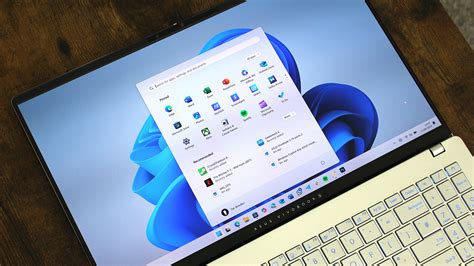
- Updated Start Menu: The Start Menu has been refined for easier access to your favorite apps and settings. You can now pin more apps for quicker navigation.
- New Snap Layouts: Enhanced Snap Layouts provide more flexible window management, making it easier to work with multiple applications side by side.
- Improved Widgets: The Widgets panel has been expanded to offer more personalized content and updates at a glance, allowing customization for news, weather, and calendar events.
- DirectStorage Support: This feature significantly speeds up game loading times by allowing games to load assets directly from the SSD to the GPU, reducing lag.
- Virtual Desktop Enhancements: Users can now customize each virtual desktop with different wallpapers and settings, streamlining workspace management.
Performance and Security Improvements
Windows 11 24H2 brings several important performance and security enhancements:
- Faster Boot Times: The update optimizes the boot process, allowing your system to start up more quickly after powering on.
- Enhanced Security Features: Security measures have been strengthened, particularly in Windows Defender, which now offers better malware detection and response capabilities, helping to protect your data from emerging threats.
- Memory Management Improvements: The update features smarter memory management that allocates resources more efficiently, resulting in smoother multitasking.
- Updated DirectX: For gamers, the new version of DirectX enhances graphics performance and compatibility with the latest games.
Compatibility with Existing Systems
Before upgrading to Windows 11 24H2, check your system's compatibility:
- Minimum System Requirements: A 64-bit processor, 4 GB of RAM, and 64 GB of storage space are required.
- Compatible Hardware: Most devices running Windows 11 should be compatible, but older hardware may encounter issues. For instance, systems without TPM 2.0 may not be eligible for the upgrade.
- Software Compatibility: Most existing applications should work without issues, but it's wise to check for updates from software providers. If you use specialized software, consult the vendor for compatibility.
Conclusion
If you're considering upgrading to Windows 11 24H2, ensure your system meets the requirements and take advantage of the new features. Also, check the compatibility of your current software and hardware to guarantee a smooth transition.
Frequently Asked Questions
What are the main benefits of upgrading to Windows 11 24H2?
The main benefits include enhanced performance, improved security features, and new usability features that simplify everyday tasks.
Is my current hardware compatible with Windows 11 24H2?
Most modern hardware that supports Windows 11 should be compatible, but older systems might have issues, especially if they do not meet the minimum requirements.
Will my applications work after upgrading to Windows 11 24H2?
Generally, most applications will continue to function, but it's advisable to check for updates from your software vendors.
How do I upgrade to Windows 11 24H2?
You can upgrade through Windows Update in the settings menu. Look for update notifications or check manually by going to Settings > Update & Security > Windows Update.