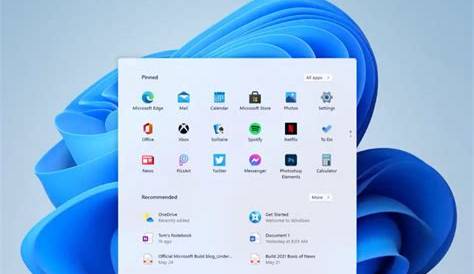
Windows 11 23H2 is the latest feature update for Microsoft's operating system, introducing several enhancements and new functionalities that improve user experience and performance. Understanding these updates can help you maximize your Windows system's capabilities.
What is Windows 11 23H2?
Windows 11 23H2 is a significant update released in the second half of 2023. This update enhances existing features of Windows 11 and introduces new functionalities, evolving the operating system to better meet user needs and preferences.
Key Features of Windows 11 23H2
This update introduces several noteworthy features designed to enhance productivity and overall user experience.
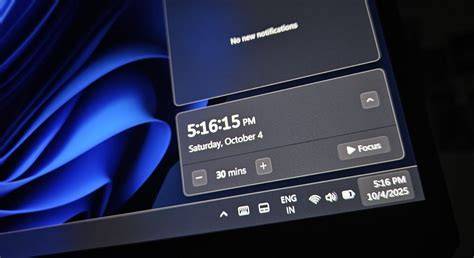
- Taskbar Enhancements: The taskbar now includes a redesigned notification center, making it easier to access notifications and quick settings.
- Snap Layouts Improvements: You can now create custom layouts for multitasking, allowing for better organization of multiple open windows. For example, if you often juggle different projects, the Snap Layouts feature can help you arrange your windows efficiently, reducing the need to switch back and forth.
- Enhanced Virtual Desktops: The virtual desktop feature has been improved, enabling you to customize backgrounds and settings for each desktop.
- Windows Copilot: A new AI-powered assistant integrated into the taskbar helps you navigate tasks and find information quickly.
Performance Improvements and System Compatibility
The 23H2 update optimizes system performance in several ways. Users can expect faster boot times and smoother application operation due to enhancements in resource management.
- System Requirements: To run Windows 11 23H2, your device generally needs to meet Windows 11's baseline requirements, including a compatible 64-bit processor, 4 GB of RAM, and 64 GB of storage.
- Compatibility: Most devices that currently run Windows 11 should support this update, but it's advisable to check for specific hardware compatibility to avoid potential issues.
How to Prepare for the Update
To ensure a smooth experience with the 23H2 update, follow these steps:
- Check System Requirements: Confirm that your device meets the necessary hardware specifications.
- Backup Your Data: Before proceeding with the update, back up your important files to prevent data loss. ``
text Use File History or a cloud service to back up your documents.`` - Update Your Applications: Make sure all your applications are up to date to avoid compatibility issues after the update.
- Free Up Space: Ensure you have enough storage available for the update to install. ``
cmd Cleanmgr`` - Install the Update: Go to Settings > Update & Security > Windows Update and click on "Check for updates" to begin the installation.
Common Misconceptions About Windows 11 Updates
There are several misunderstandings regarding Windows updates that can lead to confusion.
- Myth: Updates are only for fixing bugs. Fact: While many updates address issues, they also introduce new features and enhancements.
- Myth: You can't opt out of updates. Fact: While updates are generally mandatory, Windows allows you to schedule them for a more convenient time.
- Myth: Updates slow down my system permanently. Fact: Although some updates may temporarily impact performance, they often include optimizations that improve overall speed in the long run.
Conclusion
Understanding the features and improvements in Windows 11 23H2 is essential for optimizing your system. Checking your system's compatibility and preparing for the update will help you benefit from enhanced performance and new functionalities, ultimately improving your overall experience with Windows 11.